
Cerberus CCTV event viewer
When a vehicle arrives or someone crosses a monitored perimeter, an operator needs the right camera and frame. Cerberus brings camera status, event history and manual camera controls into one mobile interface.
Project status: the interface is available to preview. Contact the team about deployment at your site.
Reviewing a perimeter event
Open the event card to see the camera, time and snapshot. From the same card you can open the video or save a still. For a camera with pan and zoom support, open manual control to inspect the area.
Questions about the project
Will it work with our cameras?
Cerberus is compatible with most CCTV cameras. Send the recorder and camera models so the team can check the functions needed at your site.
What can we see before deployment?
The screens below show the project’s interface. For a commercial proposal, specify the camera count and the events your operators need to review.
Product interface
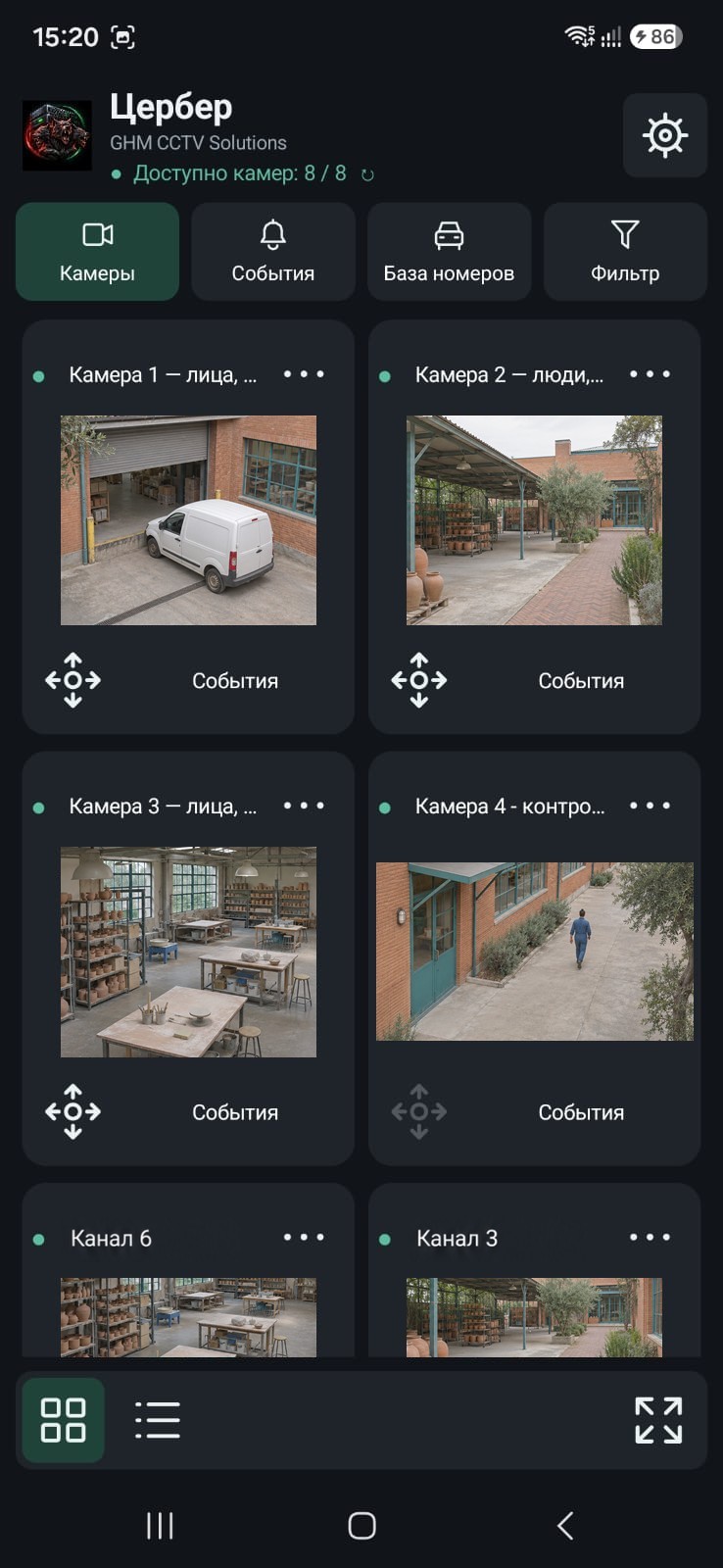
Camera overview
The grid shows each camera’s view and connection status. Open a camera’s events directly from its card.
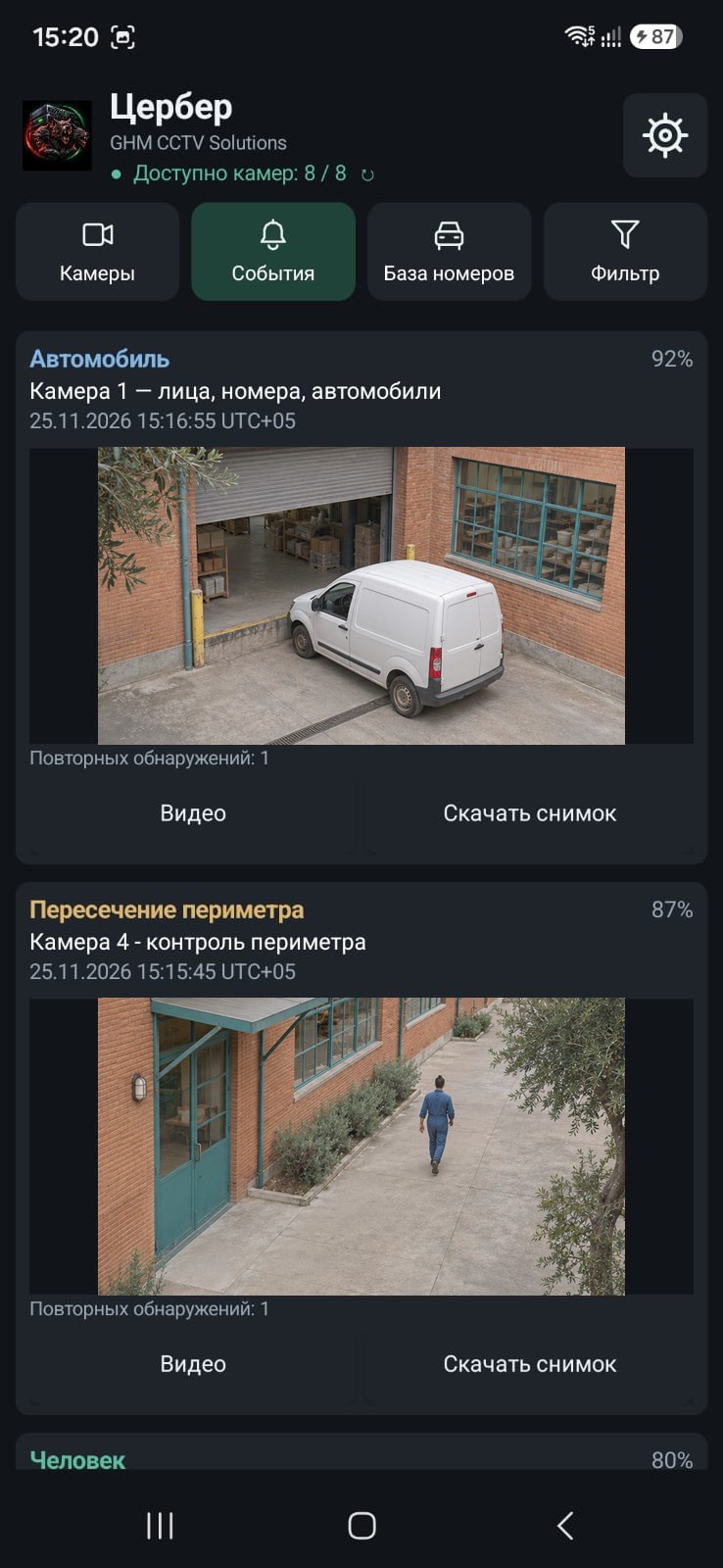
Event log
Each entry shows the event type, camera, time and captured frame. Open the video or download the snapshot.
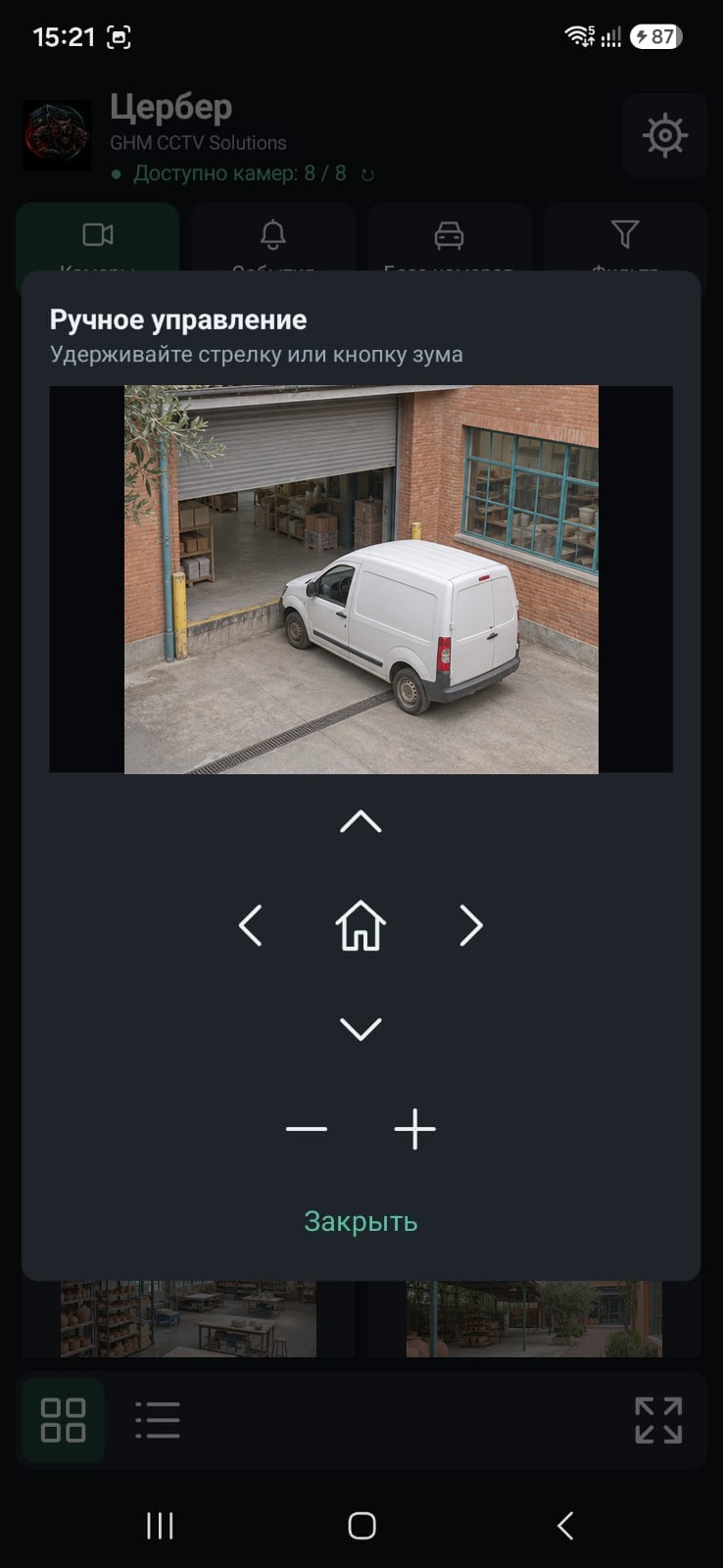
Pan, tilt and zoom
Use the arrows to point a supported camera and the minus and plus buttons to adjust zoom while watching the preview.
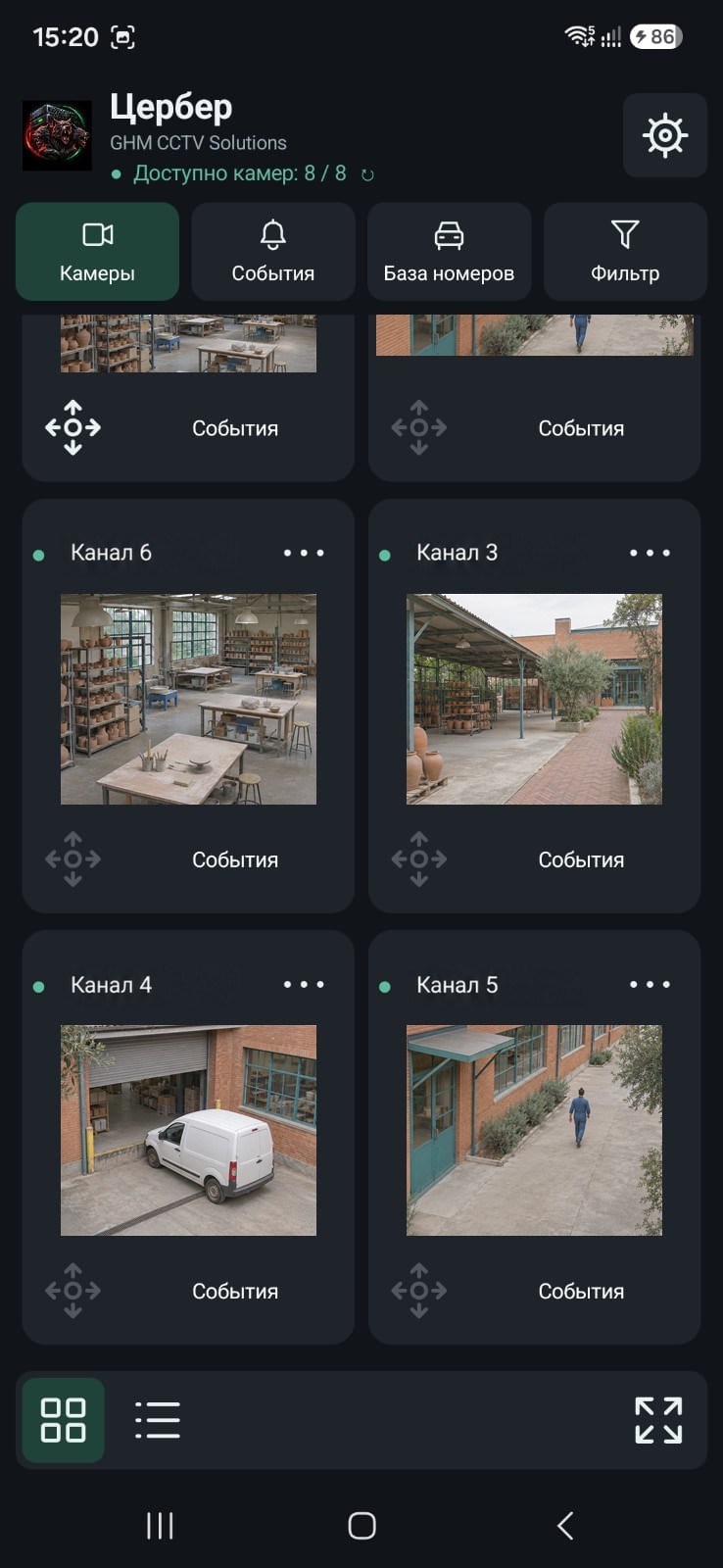
Recorder channels
Cerberus is compatible with most CCTV cameras. Switch between grid and list views to browse the channels.
 Sales